
Skyllful Studio: New Lesson Dashboard
We're rolling out the new, innovative Lesson Dashboard in Studio. This is a new, powerful tool that gives content creators and stakeholders a detailed view of lesson performance. Unlike many other eLearning content creation platforms, Studio goes beyond surface-level reporting, delivering step-by-step insights and heatmaps to help you understand learner behavior and outcomes.
What can the Lesson Dashboard show you?
Step-by-Step Analysis
See how learners progress through each step of a lesson to better understand where they succeed, and where they get stuck. Each tile shows the percentage of the total actions on that step that were incorrect.
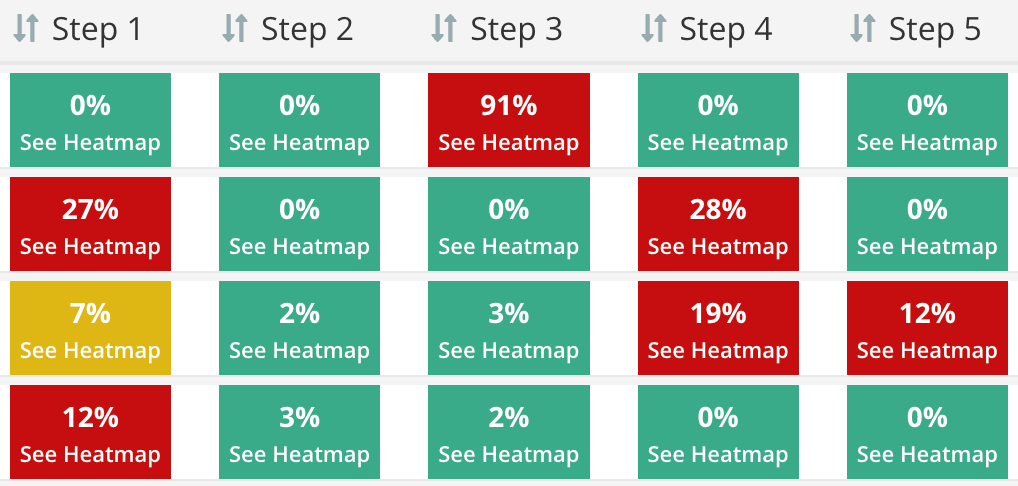
Step-by-step analysis shows where learners succeed and get stuck.
Performance by Lesson Version
Compare results across lesson versions to track the impact of edits made to lessons.

Compare results across lesson versions to track the impact of edits.
Flexible Filters
Focus your analysis with filters for:
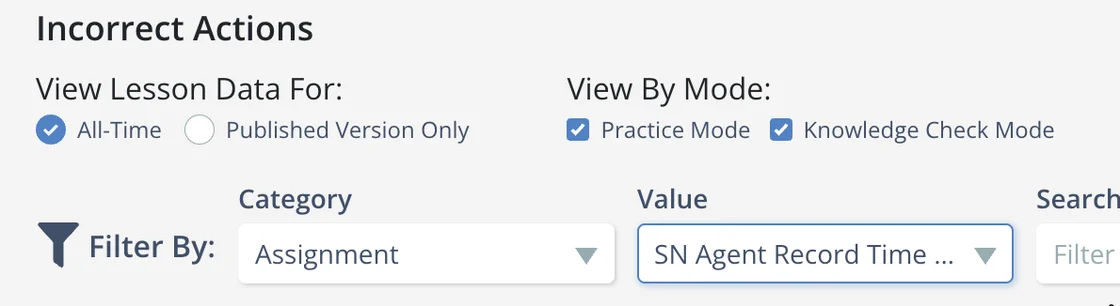
- Practice Mode and/or Knowledge Check Mode
- All-Time vs. Published Version
- Assignment, Attempts, Course, Module, Learner, Supervisor, User Tag, Step Count
Step Heatmaps
Click into any step to view a heatmap of learner actions, helping you pinpoint friction points that may be driving higher fail rates or confusion.
Step heatmaps pinpoint friction points.
Drive better outcomes
The Lesson Dashboard gives you a level of visibility into learner performance that other tools simply don't provide. By uncovering exactly where learners struggle, you can make precise, data-driven improvements that reduce friction, boost comprehension, and create more impactful learning experiences.
We can't wait to hear what you find!
Please continue bringing your ideas and requests forward so we can turn them into actionable platform improvements that effectively target your needs.