

What's new in this release?
This month's release is all about closing the loop between building a lesson and getting it approved. The Lesson Previewer now handles every content type you author. This includes video and SCORM content. Additionally, we are including built-in commenting and frictionless sharing.
We've also given every email the platform sends a fresh coat of polish, and Automation Center will now send automated emails driven by the triggers and rules admins define.
Skyllful Studio: Lesson Previewer now supports video, SCORM, comments, and sharing
The Lesson Previewer now renders videos and SCORM content exactly as your learners will experience them on a device, no more publishing a lesson just to check how a video step or SCORM module behaves.
Review cycles now live where the content does. You will be able to leave and view comments directly in the previewer, keeping feedback attached to the exact step it refers to rather than scattered across emails, chat threads, or buried in Lesson Builder.
And when it's time to bring in stakeholders outside of Studio, you will be able to share a link to the lesson preview that requires no Studio permissions or platform login, so subject-matter experts and approvers can review a lesson from any browser.
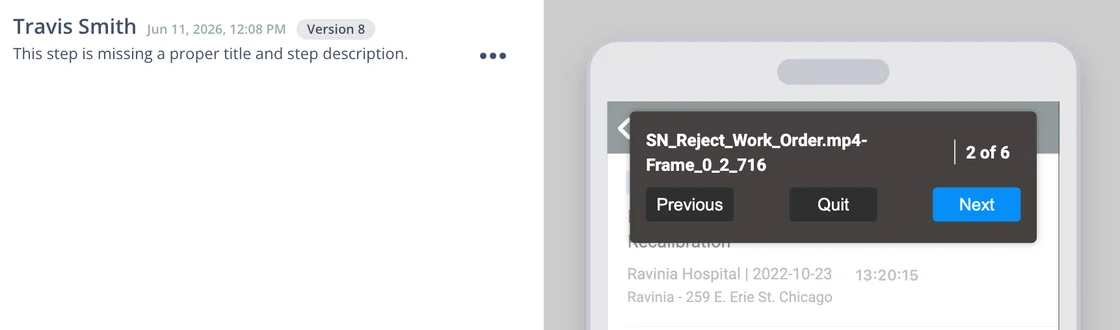
The Lesson Previewer now handles video and SCORM, with in-context comments and shareable review links.
Smarter, sharper email notifications
Every email notification coming out of the Skyllful platform has been upgraded. We've made formatting and aesthetic improvements across the board, so notifications look clean and consistent in every inbox.
Beyond looks, we've improved the structure of the data presented in each email. Recipients will see the information that matters, organized so the key details stand out at a glance.
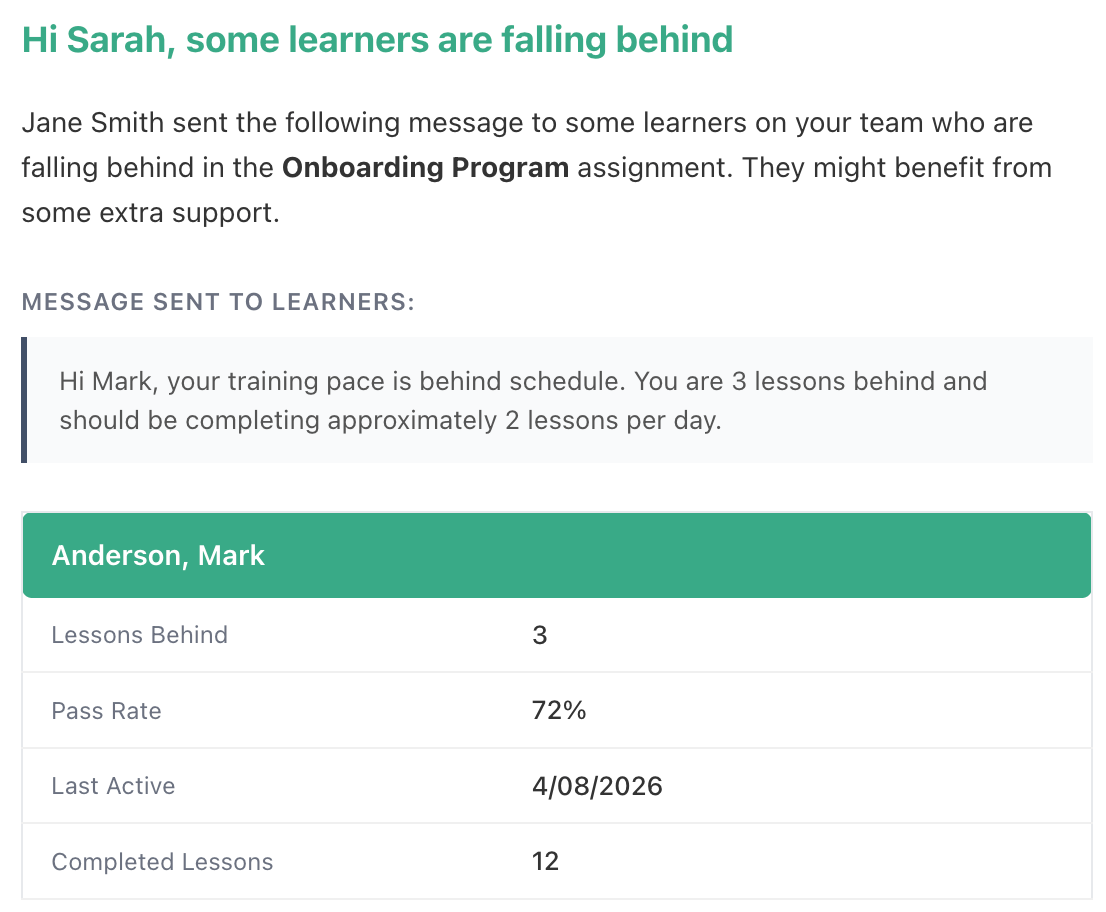
Every Skyllful email notification has a cleaner, more consistent layout.
Automation Center: Automated emails
Automation Center keeps growing. Customers will now be able to send automated emails based on a series of triggers and rules via configurable settings in Automation Center.
Combined with last month's event-driven triggers, this means the platform will now notify the right people at the right moment. Automatically, without anyone having to remember to hit send.
What's coming next?
We're working on a new lesson mode we're calling Talkthrough. We're not ready to share all the details just yet, but it rethinks how learners move through a lesson and reduces the reliance on video for verbal overviews. Keep an eye on next month's notes!