
Overview
The latest release of Skyllful includes enhancements that span the entire platform with the aim of improving learner experience, making it easier for instructional designers to create screen replications and improving the instructional design experience.
Let's take a look at some of the significant features you'll discover.
Skyllful Studio: Screen Replication
ReplicaMaker Functionality
- Use text OCR and Clipping on images that have already been clipped
- Ability to specify if you want the image clipper to auto tighten the bounds of a selection
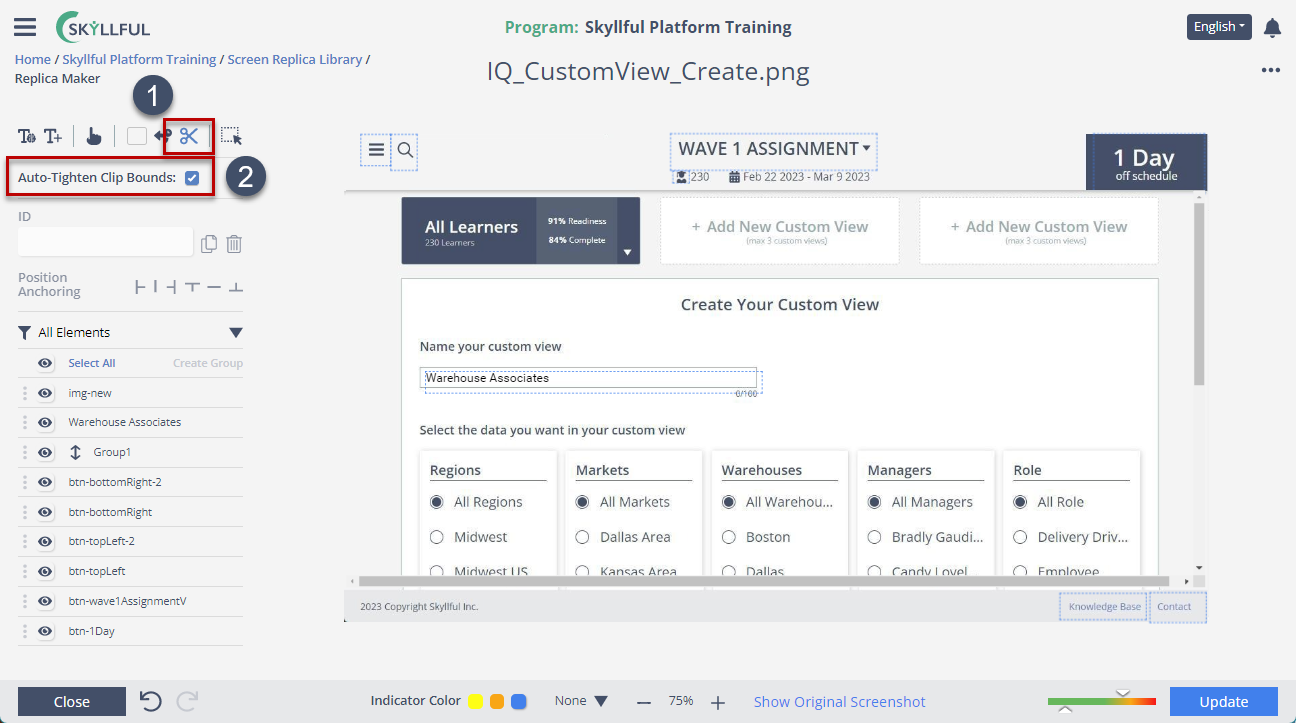
ReplicaMaker image functionality: OCR, clipping, and auto-tighten.
Replica Background Tiling
Can specify if the background of the screen replica should tile.
Note: All new replicas will have tiling off by default.
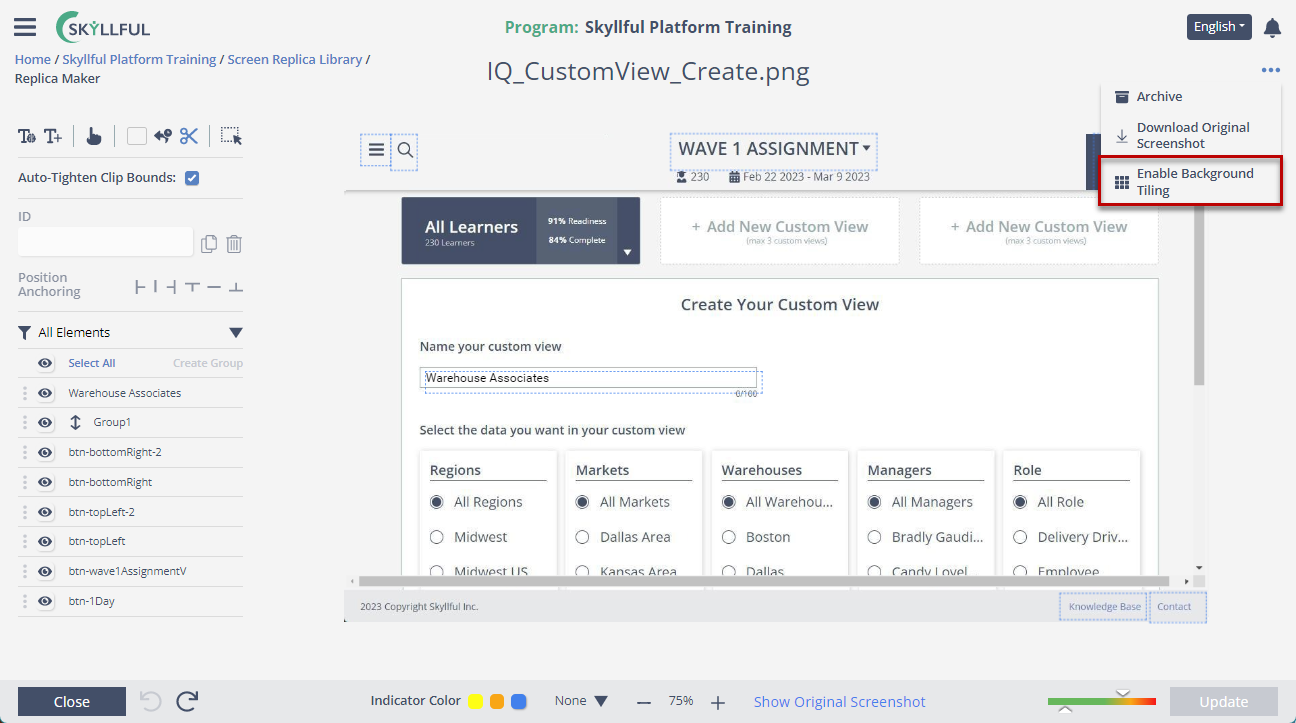
Specify whether a screen replica background tiles.
Original Screenshot Download
Users can more easily download the original screenshot from ReplicaMaker.
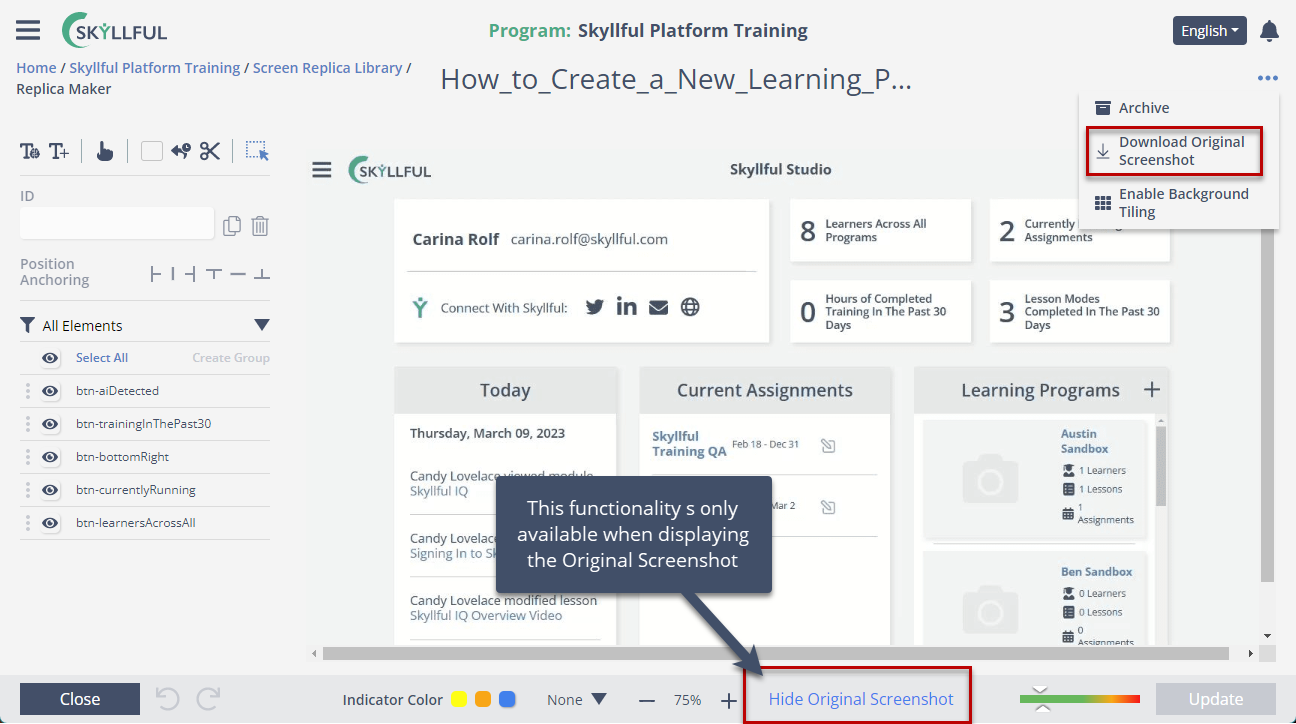
Download the original screenshot from ReplicaMaker.
Replica Tiling Displayed in Simulator Engine
Screen replicas that have background tiling off now show centered and scaled to better fit the browser window.
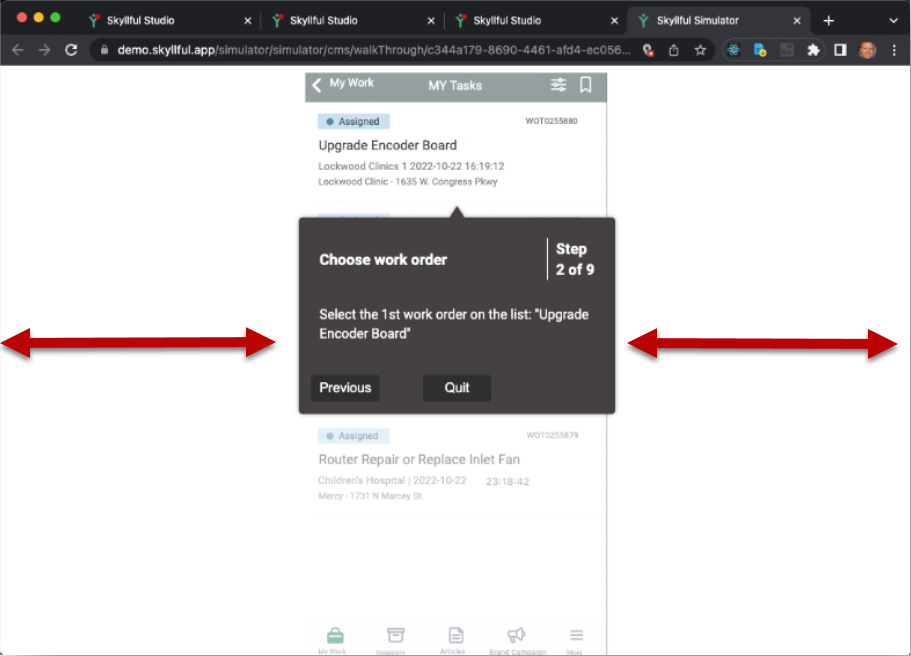
Non-tiling replicas display centered in the Simulator.
Assignments
Elimination of linkage between Job Roles and Assignments
Job Roles no longer dictate what lessons a user gets in an assignment.
Assignment UX
- Lessons and IQ Settings have been moved into tabs so users don't have to scroll
- Lessons are now displayed in the order they have been arranged into vs. alphabetically
- Lesson modes are automatically omitted if no steps have the mode enabled
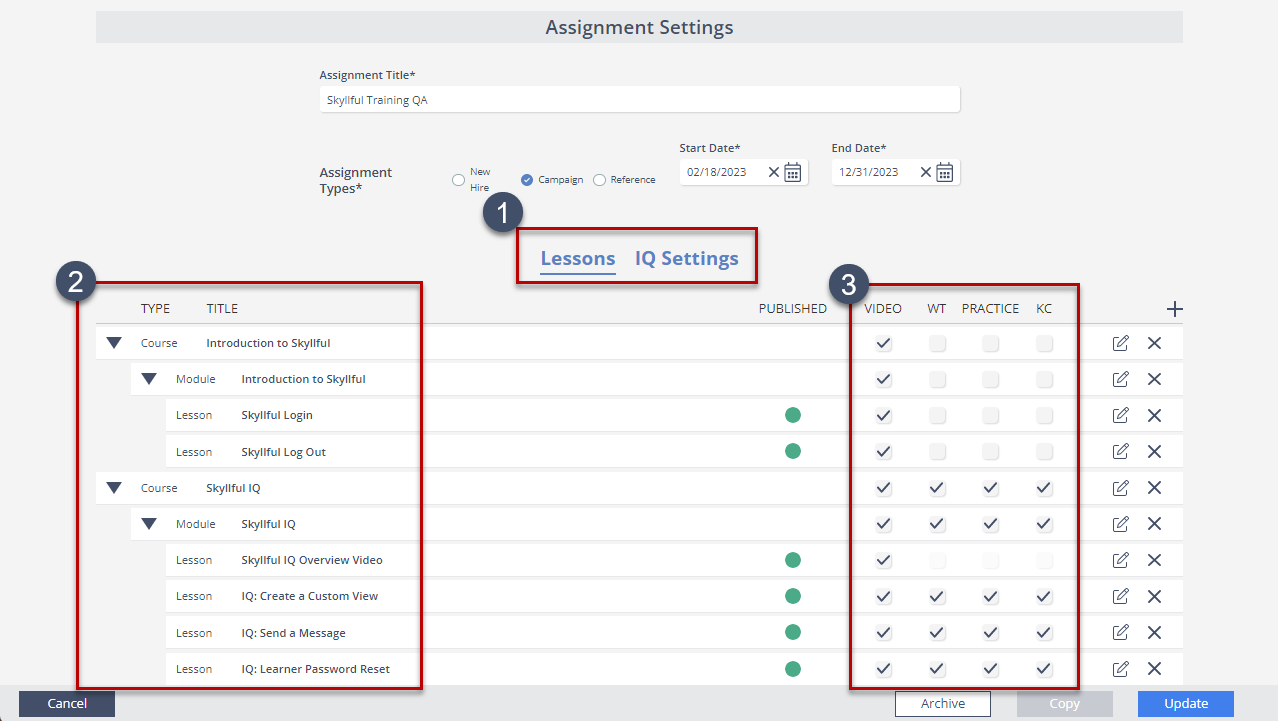
Assignment UX: tabs, custom lesson order, and omitted empty modes.
Skyllful Studio: Lesson Builder
Screenshot and HTML Downloads
Users can download all HTML files or Screenshots for a lesson in one action.
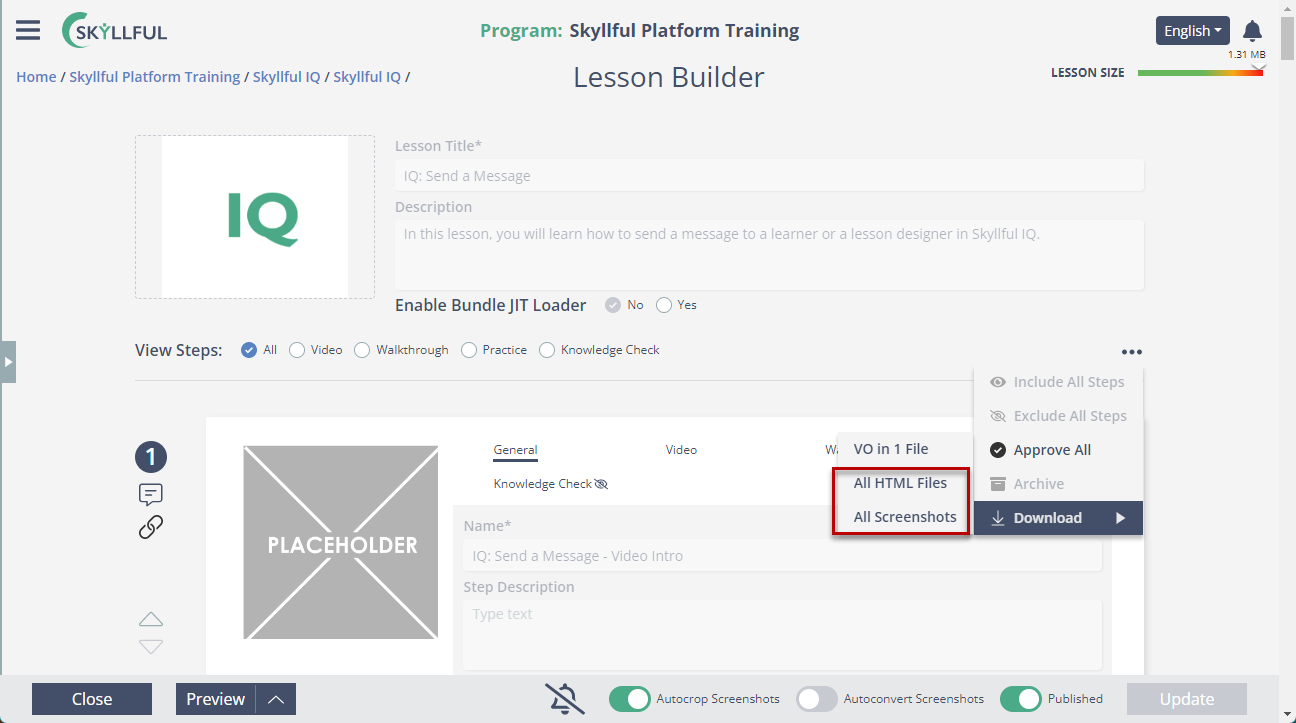
Bulk-download screenshots and HTML for a lesson.
Released January 26, 2023