
Overview
The latest release of Skyllful includes enhancements that span the entire platform with the aim of improving learner experience, making it easier for instructional designers to create screen replications and improving the instructional design experience.
Let's take a look at some of the significant features you'll discover.
Skyllful Studio: Screen Replication
AI Conversion Preferences
Studio now remembers user's preferences for "Auto-crop" and "Auto-convert" as well as the crop bounds that are set.
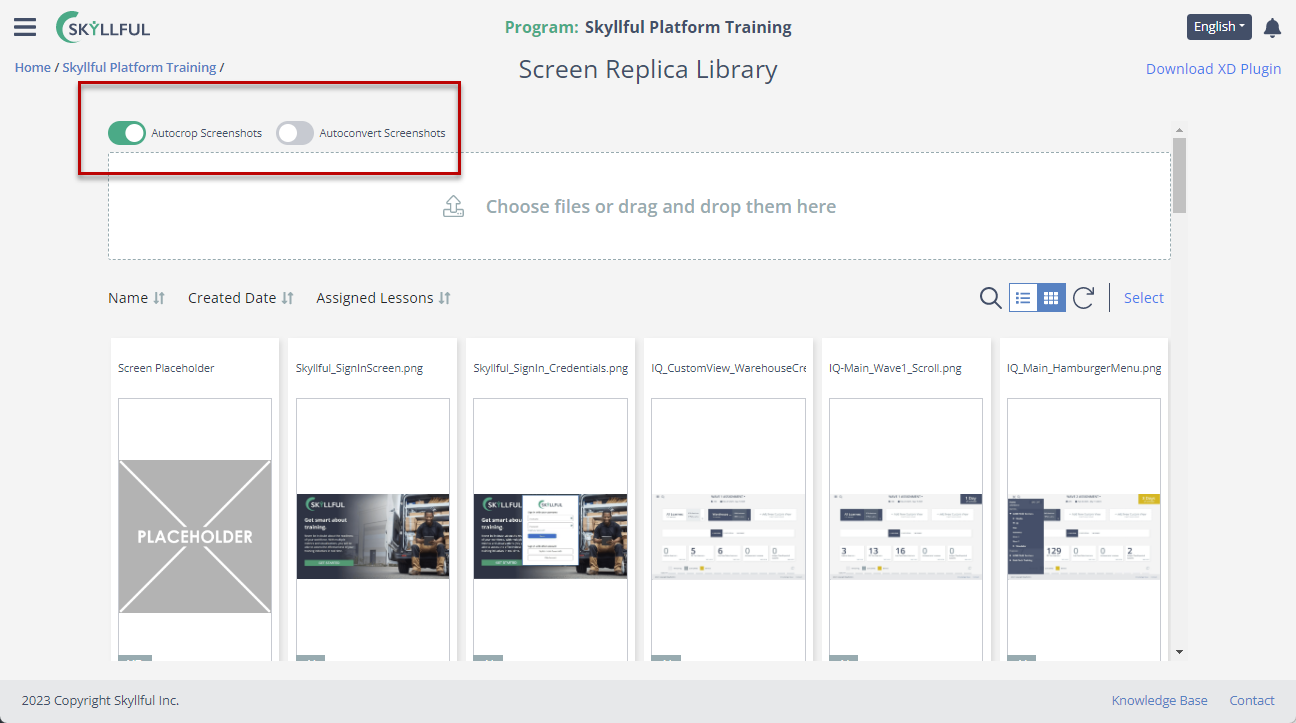
Studio remembers your AI conversion preferences.
Text OCR Selector Tool
New OCR Tool for Text Elements that let users specify areas of a screenshot to have text converted into editable text.
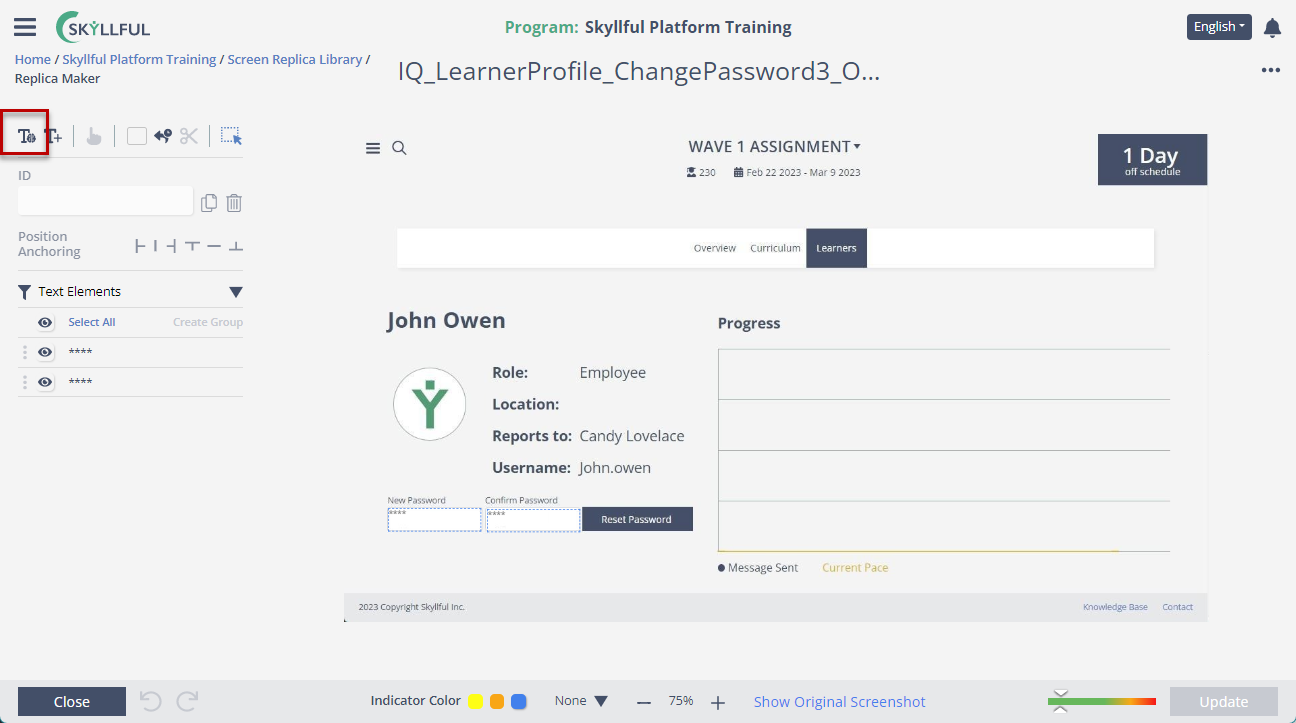
Select an area of a screenshot to convert to editable text.
Bulk Actions
Bulk selection and archive of replicas in the Screen Replica Library.
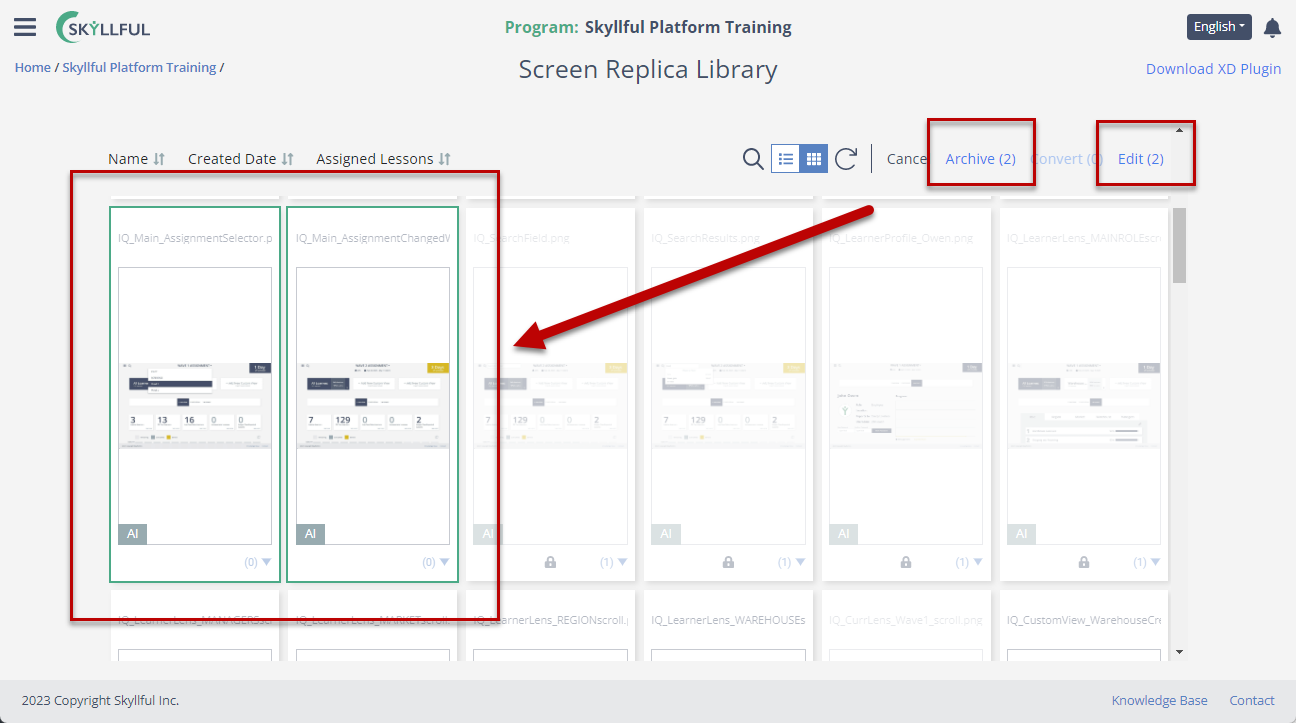
Bulk-select and archive replicas in the Screen Replica Library.
Skyllful Studio: Lesson Builder
Error Indicators
Need to highlight in red when user has failed to select a replica for a step.
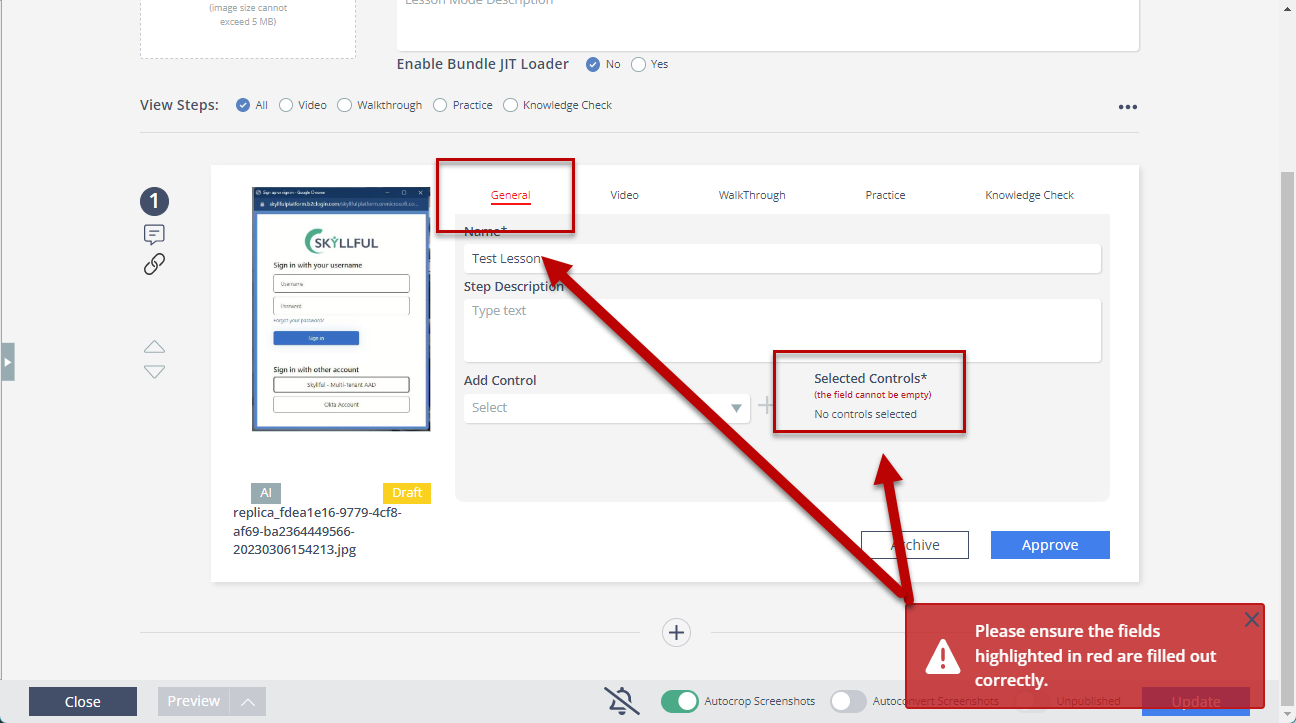
Error indicators flag steps missing a replica.
Released December 15, 2022