
What is included in the Skyllful November 2022 release?
This Skyllful Platform release includes the following enhancements:
- Screen Replication: Screenshot Autocrop toggle
- Skyllful Studio Lesson Builder: Enhanced Lesson menu, Step title auto-population, and Step action defaults
- Skyllful Simulator: Pull to Refresh, left-aligned step text, an orientation prompt, and updated abandon-Lesson messaging
What Screen Replication updates are in the November 2022 Skyllful release?
Screenshot Autocrop toggle
The November 2022 release adds an Autocrop toggle for screenshots. In Skyllful, the Autocrop toggle now appears in the Screen Library, in Video Replica Capture, and in the Lesson Builder, so screenshots can be autocropped from each of these locations.
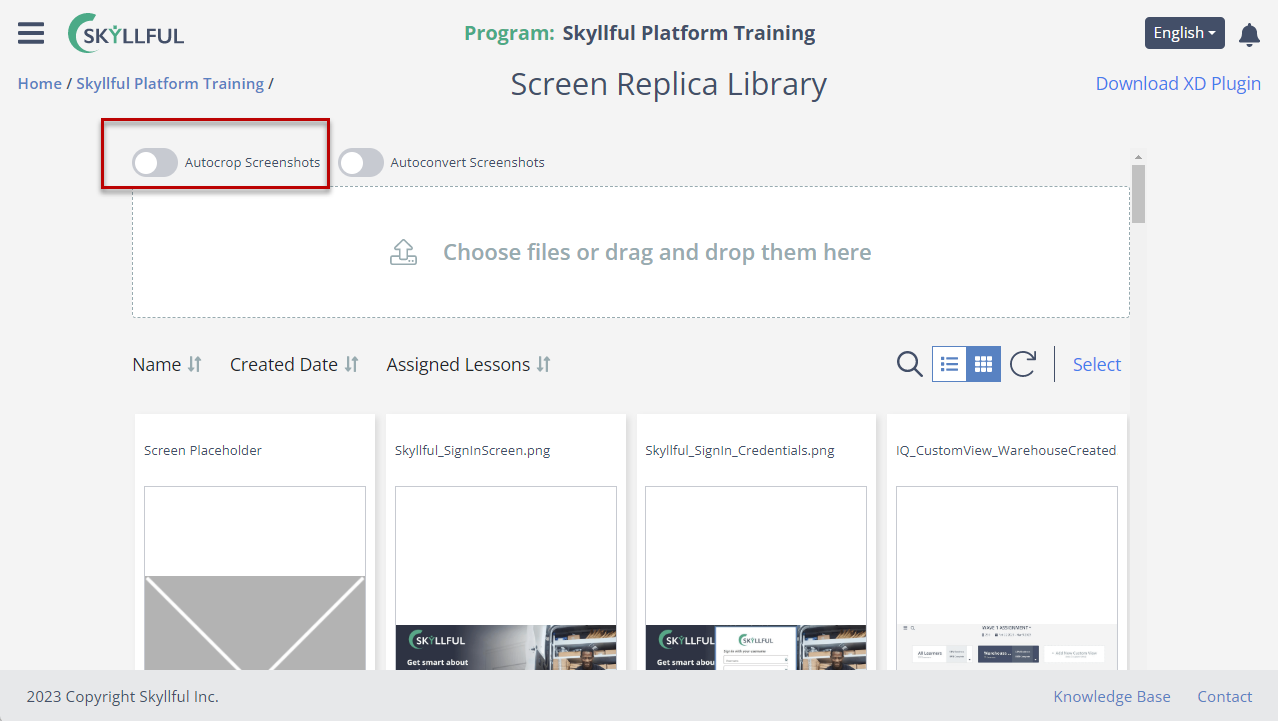 Screen Library showing the "Autocrop Screenshots" toggle
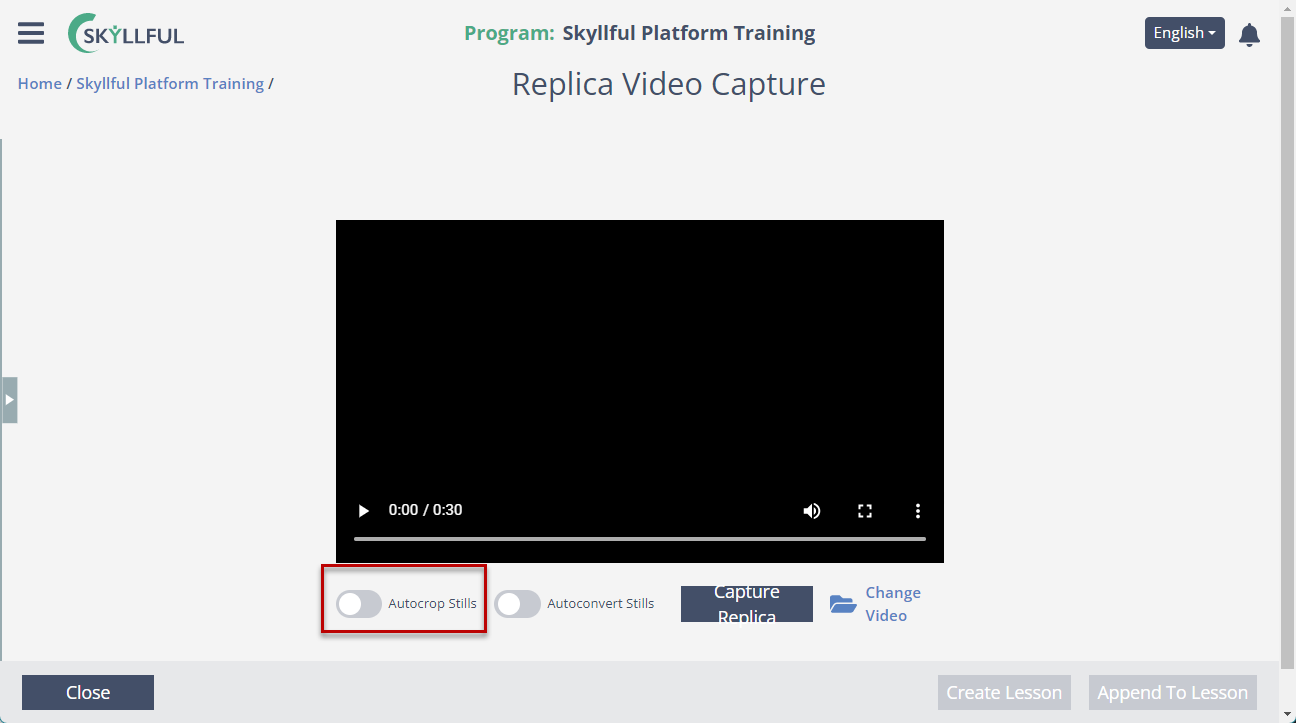 Replica Video Capture showing the "Autocrop Screenshots" toggle
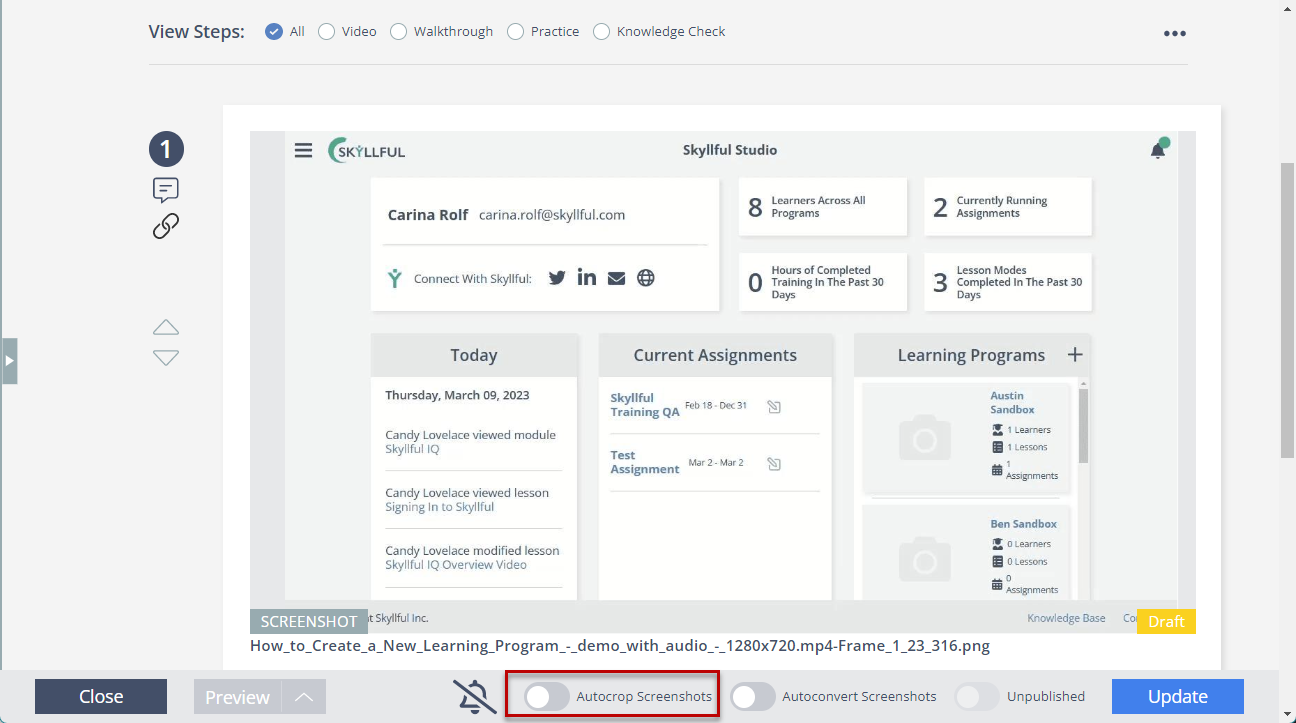 Lesson Builder showing the "Autocrop Screenshots
What Skyllful Studio Lesson Builder updates are in the November 2022 release?
Enhanced Lesson menu in the Lesson Builder
The Skyllful Studio Lesson Builder includes a new Lesson menu. The enhanced Lesson menu provides options to "Approve All," "Download all VO in 1 File," "Include all steps for mode," and "Archive."
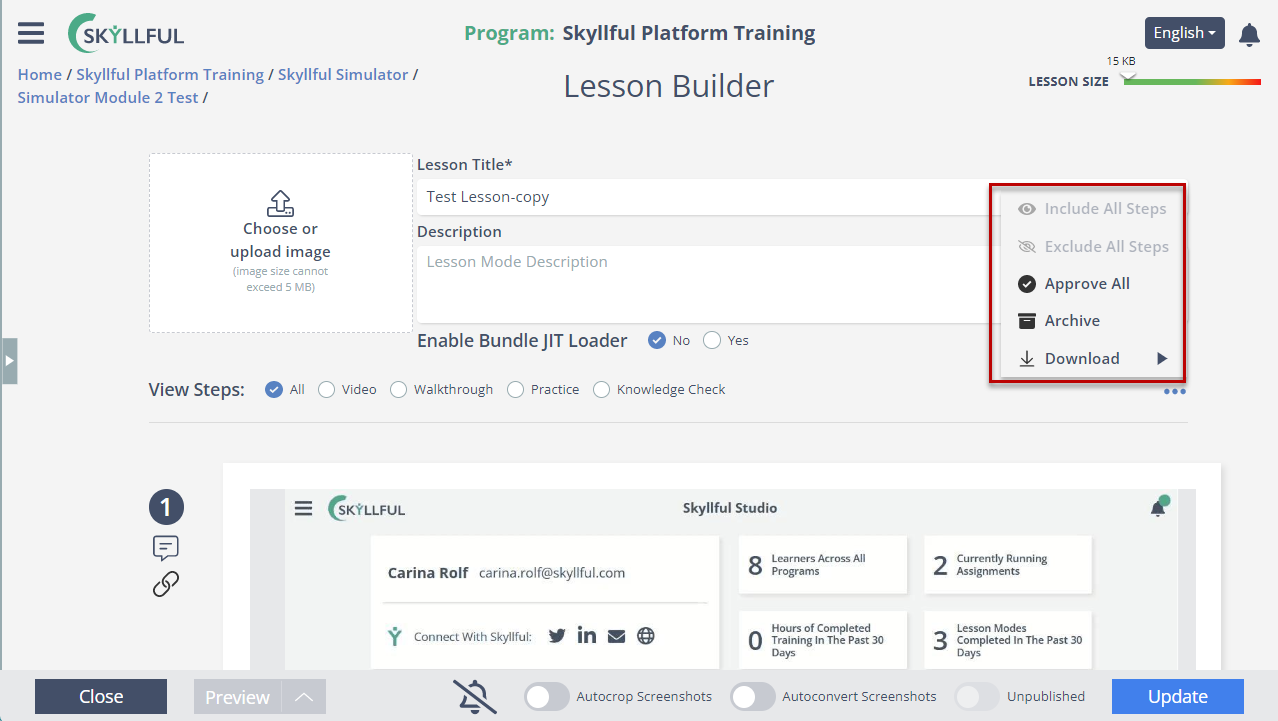 Lesson Builder showing the enhanced Lesson menu options
Step title auto-population in the Lesson Builder
In the Skyllful Studio Lesson Builder, the step title now auto-populates. Each new step is created with a step title that matches the Lesson title, so instructional designers do not need to name every step manually.
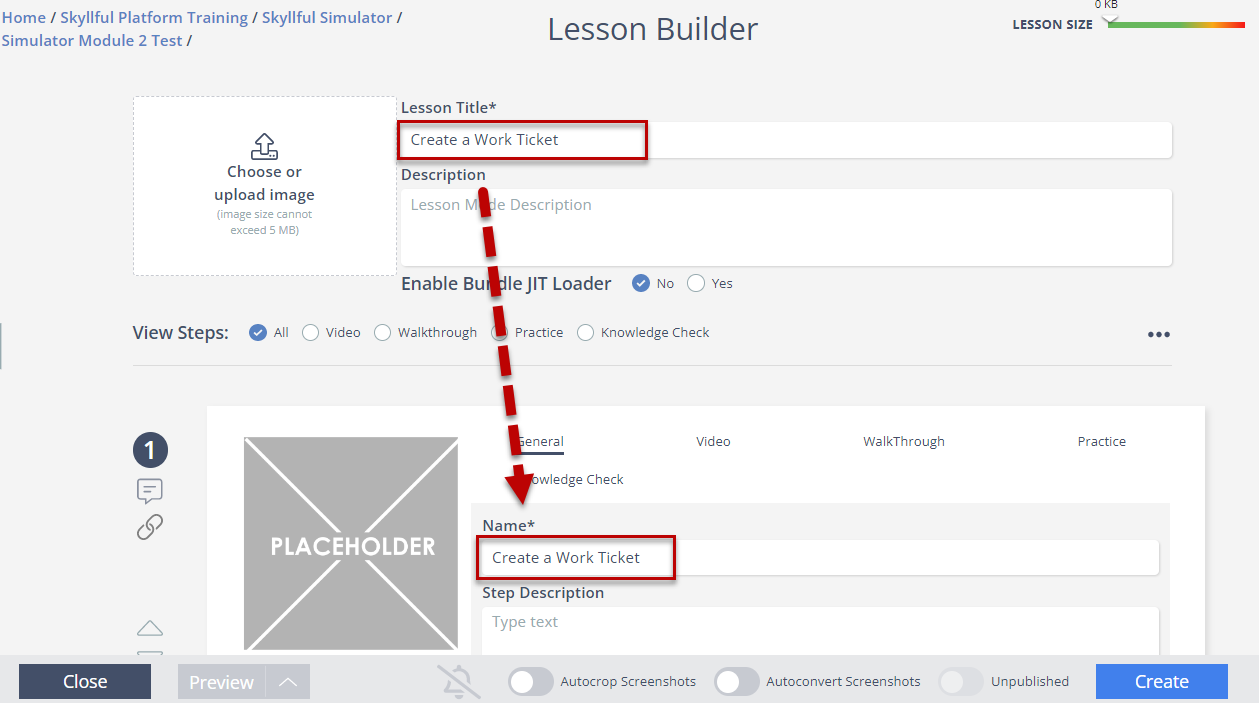 Lesson Builder showing a new step with an auto-populated title
Step action defaults in the Lesson Builder
The Skyllful Studio Lesson Builder now applies a default step action. When a new screen loads for a step, "No action required" is selected by default.
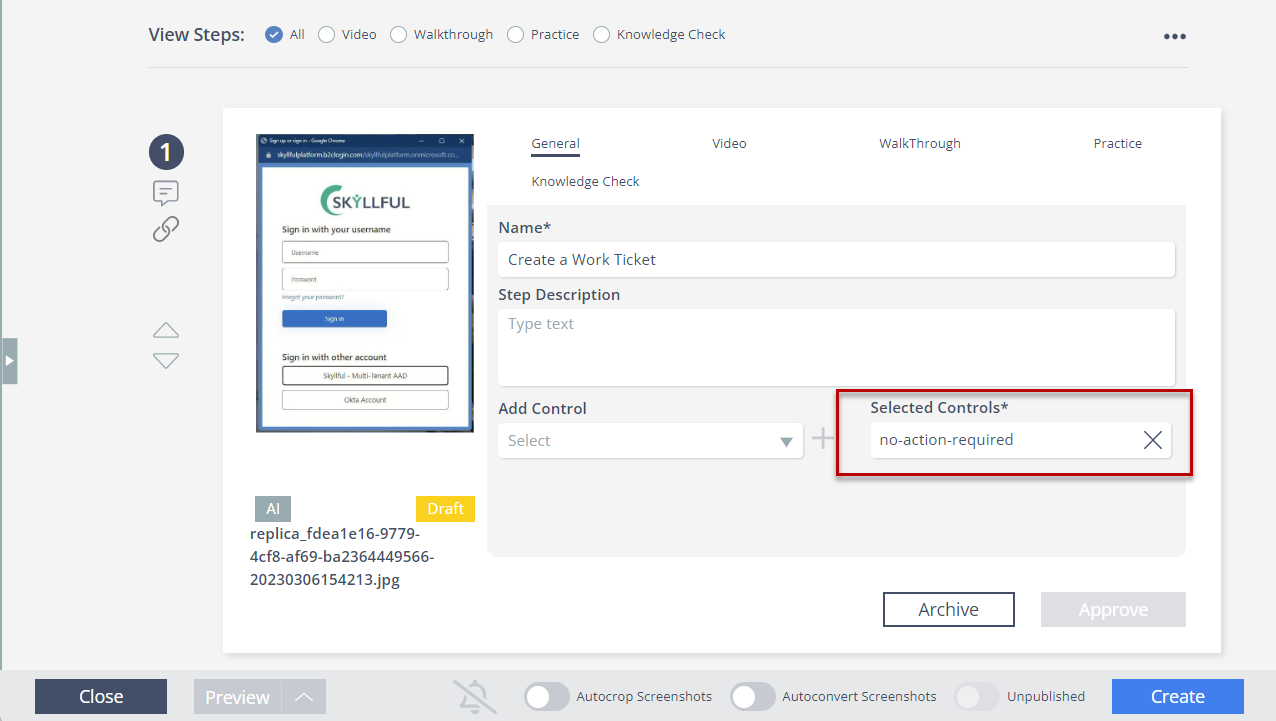 Lesson Builder showing "No action required" selected by default for a new step.
What Skyllful Simulator updates are in the November 2022 release?
Pull to Refresh in the Web Simulator
The Skyllful Web Simulator adds a "Pull to Refresh" gesture on the main menu, so Learners can refresh the main menu directly.
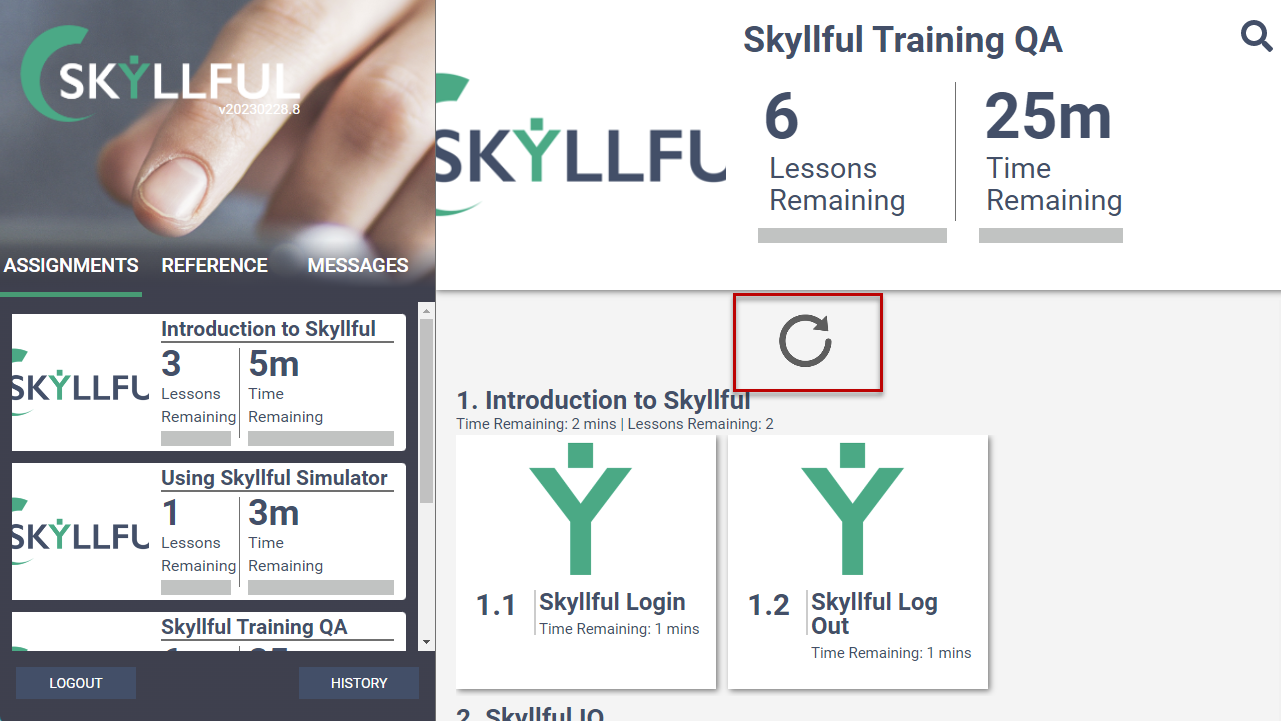 Web Simulator main menu showing the Pull to Refresh gesture
Left-aligned step text in the Web Simulator
The Skyllful Web Simulator updates step text alignment. Step text changes from justified alignment to left alignment for easier reading.
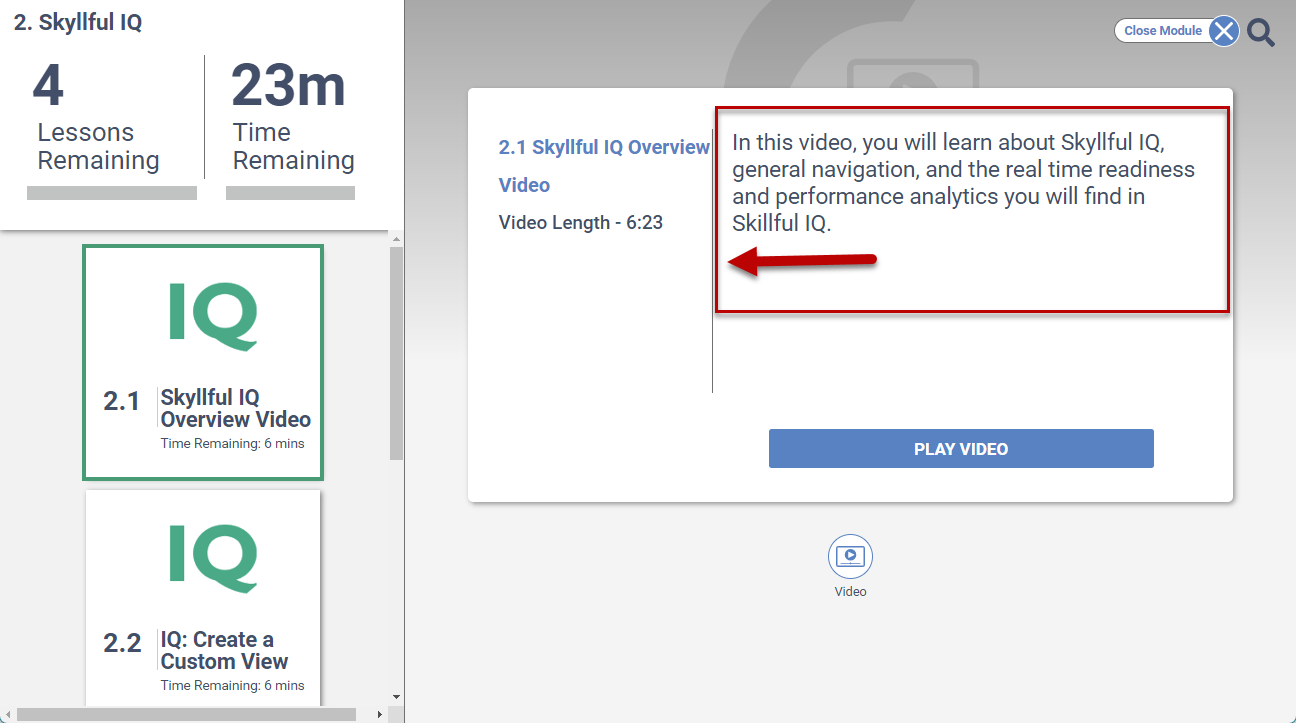 Web Simulator showing left-aligned step text
Orientation prompt in the Skyllful Simulator
The Skyllful Simulator adds an orientation prompt. The prompt informs Learners that landscape orientation is not ideal for the Lesson.
Abandon Lesson messaging in the Skyllful Simulator
The Skyllful Simulator updates the messaging shown when a Learner leaves a Lesson before finishing. The message changes from "You are leaving Skyllful" to "Abandon Lesson."
Release Date: November 27, 2022