
What's new in the Skyllful Simulator
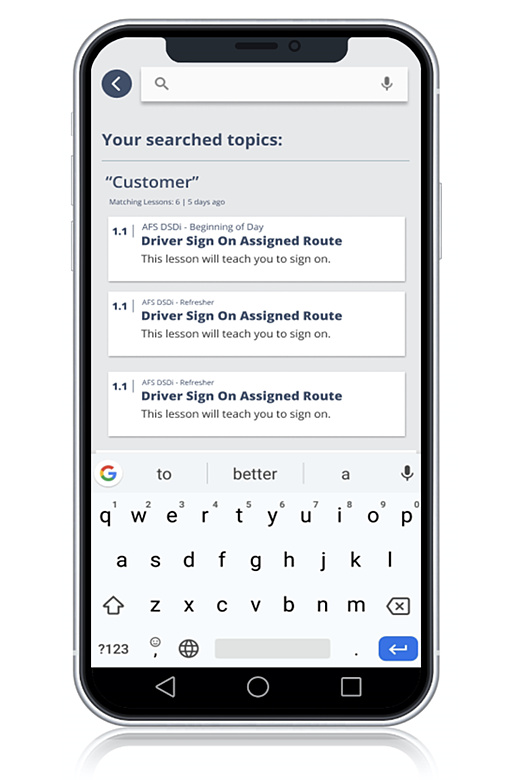
Find any Lesson with universal search.
The most significant Learner experience improvement is universal search within the Simulator, so Learners can find content quickly, when and where they need it. Learners can now access search from anywhere in the Simulator, search for Lesson content by keyword, see a thumbnail description of Lesson details in the results, view recent searches for fast access to previous topics, and use search in offline mode.
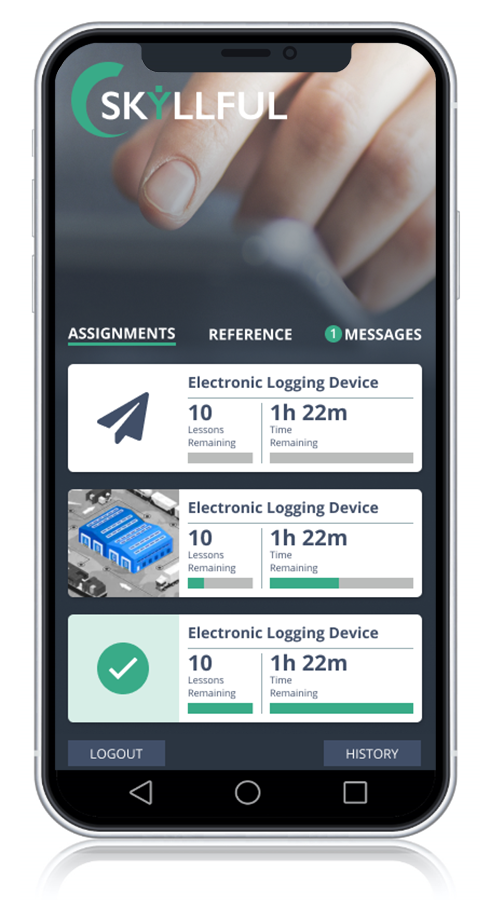
More learner-friendly navigation
This release also makes the Simulator easier to move through. Separate tabs for Lesson Assignments and Reference help Learners tell time-based Courses apart from on-demand support content. Auto-advance takes Learners to the next uncompleted Lesson, so they can pick up right where they left off in a Module. Improved sorting shows in-progress Courses first, followed by completed Courses.
What's new in the Skyllful Studio
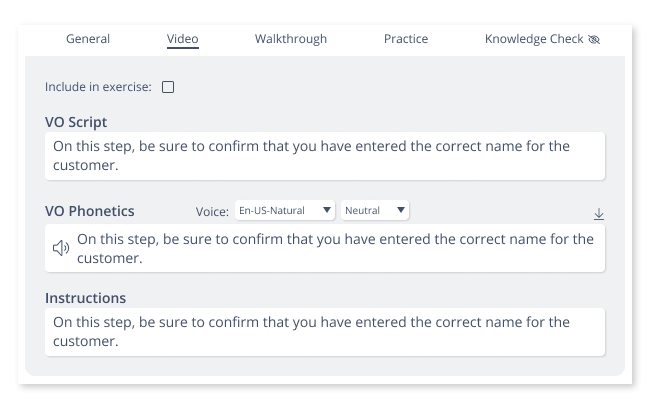
Plan Lessons visually with storyboarding.
Skyllful now provides visual storyboarding in Studio, so instructional designers can create and view Lesson steps in an intuitive way. Storyboarding lets you create video storyboards and transcripts with AI-generated voice-overs for individual Lesson steps. You can also upload a screenshot image for each Lesson step, ready for AI-driven Replica creation in the forthcoming Replica Maker.
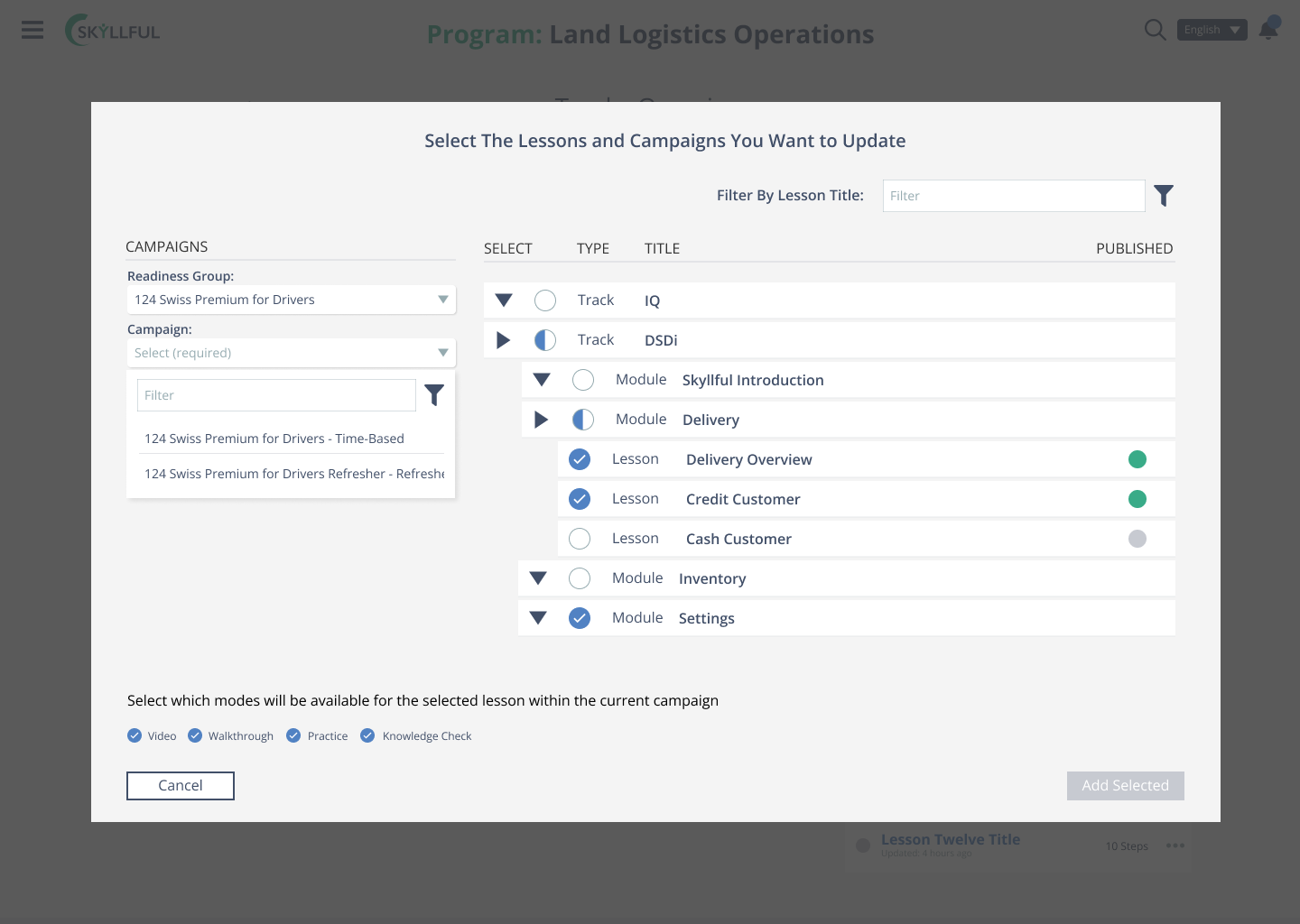
Manage Assignments with more control.
Instructional designers and program administrators will notice expanded Assignment options in Studio. You can now customize training duration by job role or individual Learner, add Learners to multiple Assignments at the same time, such as time-based and reference, and assign new Lessons to multiple Assignments in one action.
Export Learner data with xAPI.
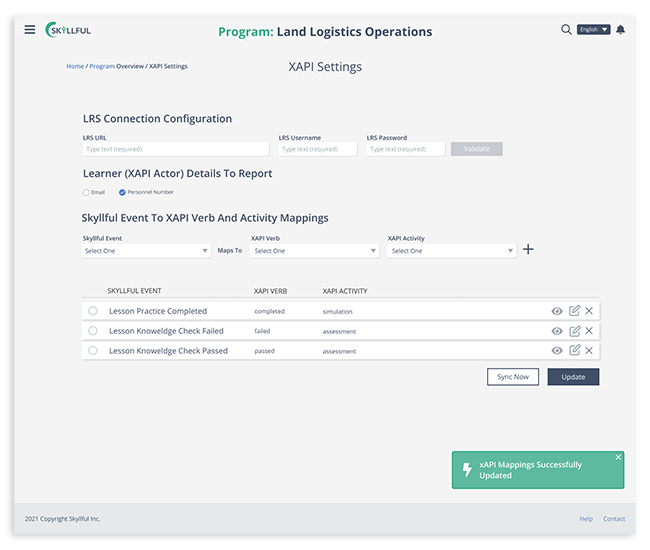
Skyllful now uses xAPI so administrators can export Learner data to their existing Learning Management System or Learning Record Store. You can configure xAPI integrations, setup, and exports from within Studio, add and remove the mapping of Skyllful events to xAPI verbs and activities, and specify how often data syncs between Skyllful and your LMS or LRS.
What's new in the Skyllful IQ
See analytics built for new-hire assignments.
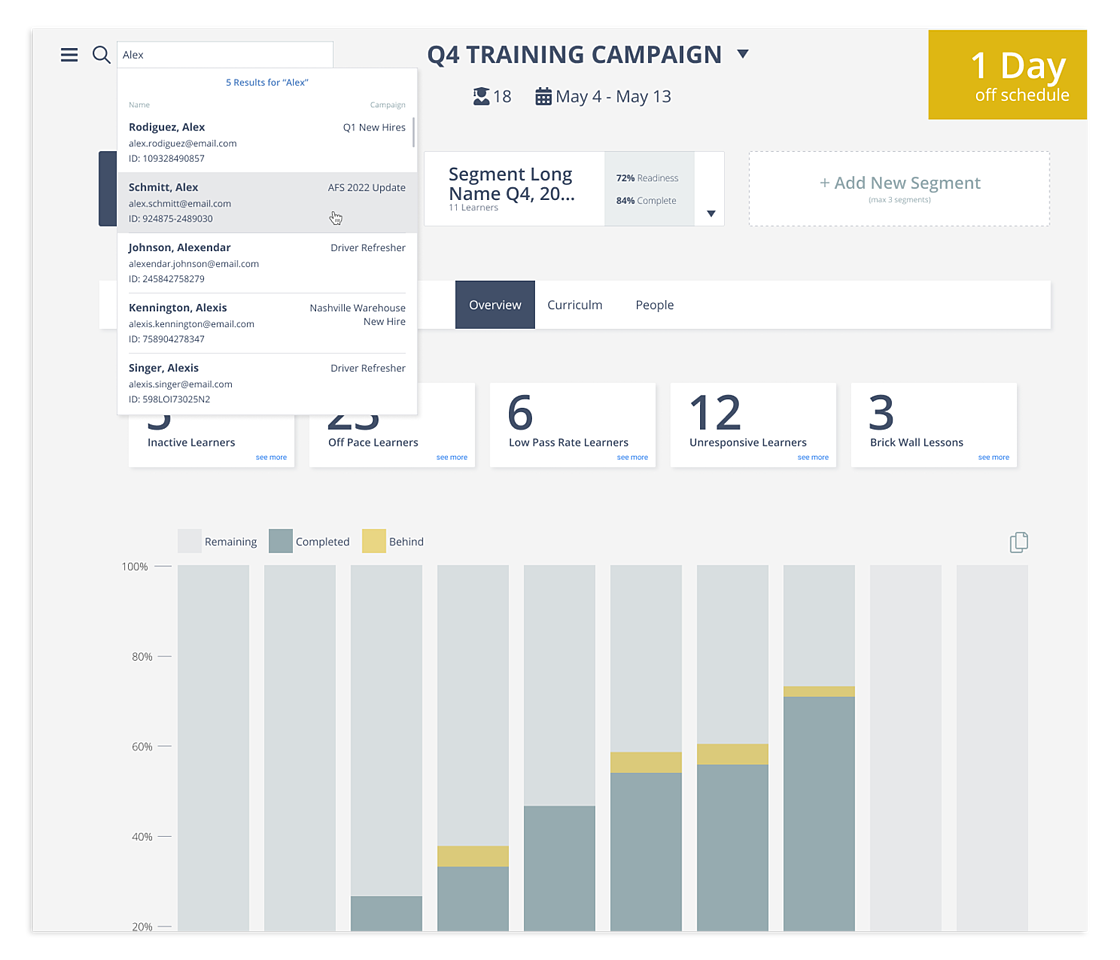
Skyllful IQ now offers distinct analytics specific to new-hire Assignments, including the Overview, Curriculum, and Learner Lens views. IQ also has improved search for new-hire Assignments, so managers and other stakeholders can find individual Learners quickly and identify those Learners within their reporting hierarchy.
More to come
As always, we are continuously incorporating feedback from customers, prospects, and partners into Skyllful. Keep an eye out for more improvements coming soon, including a mobile app for capturing screenshots and app workflows for direct upload into Studio, and AI-powered content development that turns screenshots into editable, interactive screen Replicas.