
Before you begin
Before you logout, make sure you meet these conditions:
- You are signed in to the Skyllful Platform.
- You are on the screen shown after you sign in: the Home screen in Skyllful Studio on desktop, or the Assignments screen in the mobile app.
- When logging out of Skyllful Studio, make sure you have saved any work in progress. The Skyllful Platform does not keep unsaved work after you logout.
How do you logout in the mobile app (Skyllful Simulator)?
| Step | Action |
|---|---|
| 1 |
From the Assignments screen, select LOGOUT at the bottom of the screen, next to Settings and History.
|
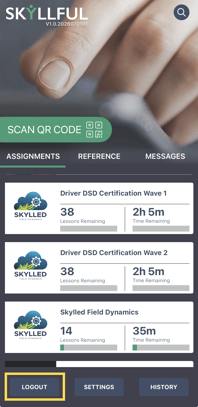 Caption: On mobile, select LOGOUT at the bottom of the Assignments screen.
How do you logout on desktop (Skyllful Studio)?
| Step | Action |
|---|---|
| 1 |
Select the Hamburger Menu in the top left corner of the Home screen. |
| 2 | Select Logout in the navigation menu. |
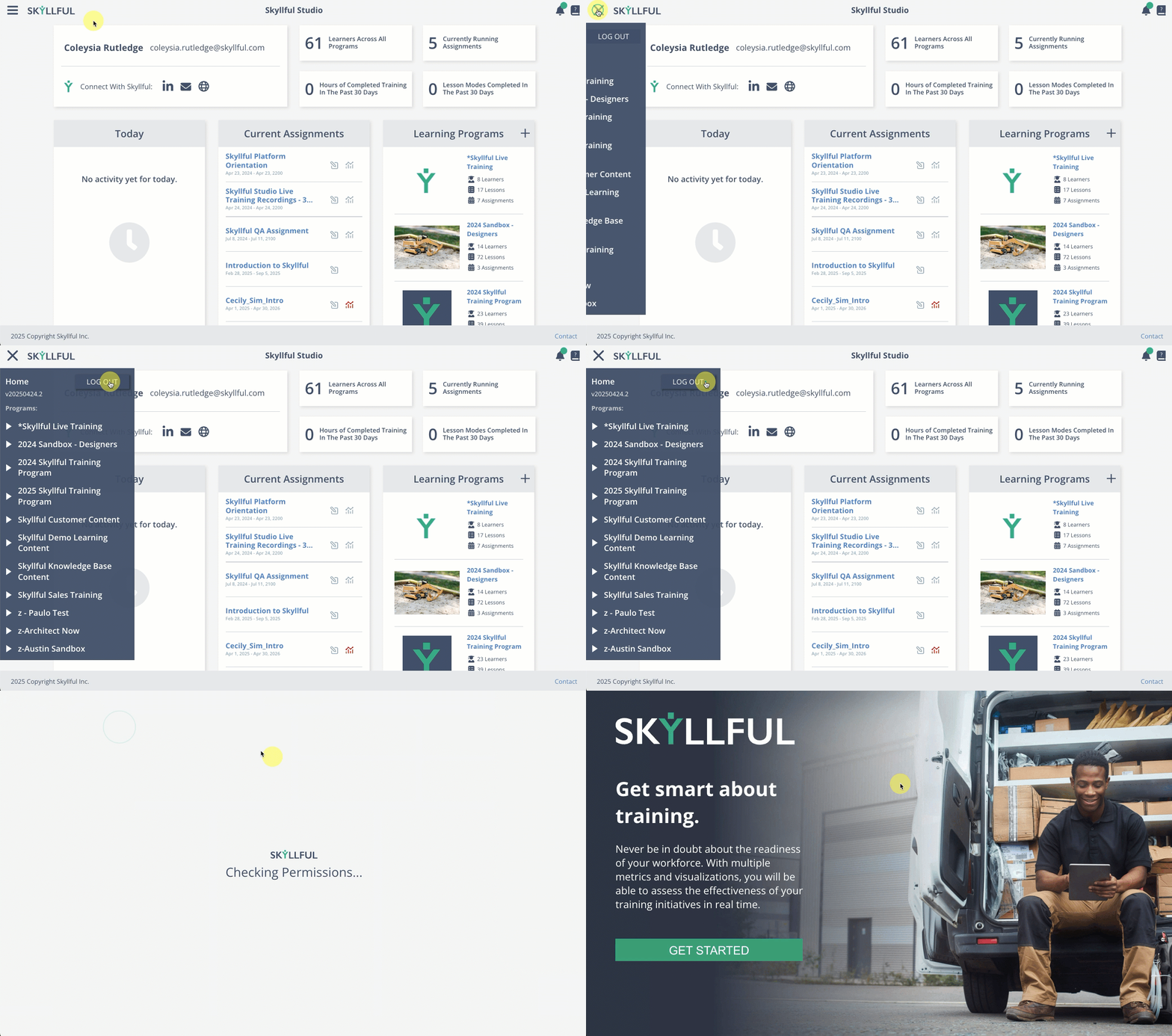 Logging out of Skyllful from the Hamburger menu.
What happens after you logout?
The Skyllful Platform ends your session and signs you out. Any unsaved work is not kept.
Important note - Logout any time you finish working on a shared or public device. Logging out protects your account and prevents others from using your session.
Frequently asked questions
Does logging out delete my work?
Logging out does not delete saved work. It does discard anything you have not yet saved, so save before you logout.
Do I need to logout every time?
Always logout on a shared or public device. On your own device, logging out is good practice when you finish working.
How do I logout on a mobile device?
Open the Assignments screen and select LOGOUT at the bottom. The mobile app does not have the Hamburger Menu used on desktop.
Skyllful Knowledge Base | All Audiences