
What can you configure in Learning Program Settings?
Learning Program Settings gives administrators one place to control how Lessons present, the screens and fonts they use, the languages they support, single sign-on, job roles, and device presets. The controls are organized into six tabs.
How do you open Learning Program Settings?
Step |
Action |
|---|---|
| 1 | Open your Learning Program. The Learning Program Overview screen appears. |
| 2 | Click the gear icon at the top right of the screen. Learning Program Settings opens on the Lesson Defaults tab. |
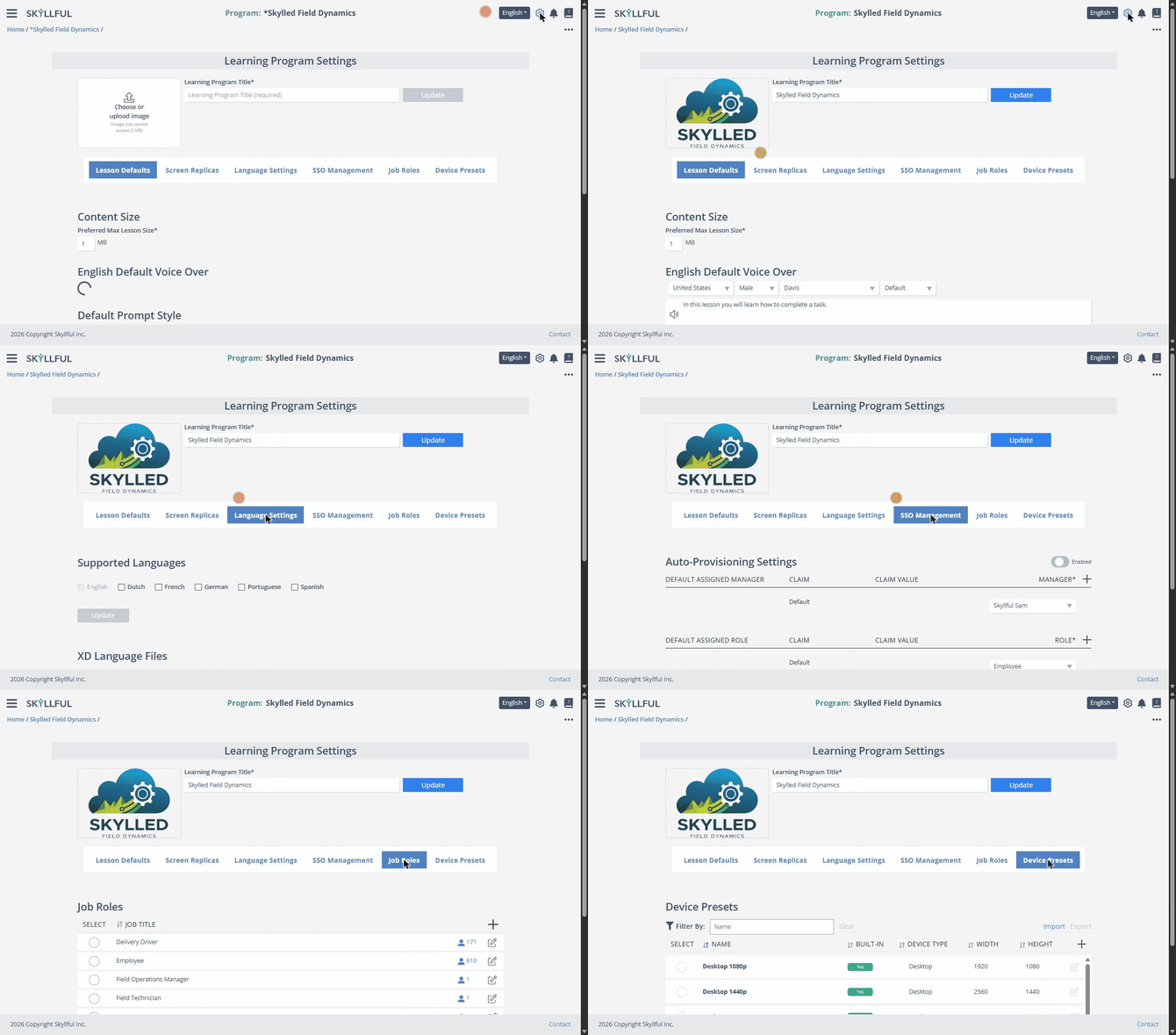
Opening Learning Program Settings and touring the six tabs.
Lesson Defaults
Lesson Defaults controls how Lessons present. Each section has its own Apply to Existing Lessons button, so a changed default can also update Lessons you already built.
Setting |
What it controls |
|---|---|
| Content Size | The preferred maximum Lesson size in MB, tuned for smooth mobile playback. |
| Default Voice Over | The narration voice per language (region, gender, AI voice), with a preview. |
| Default Prompt Style | The look of on-screen prompts: Spotlight Background, Spotlight Outline, and Dialog Background, plus text and button colors. Paste Prompt Style applies a copied style. |
| Talkthrough Defaults | The Talkthrough mode pointers: Tap Style, Input Highlight, and Scroll Indicator Style, each with a color, plus durations and scroll distance. |
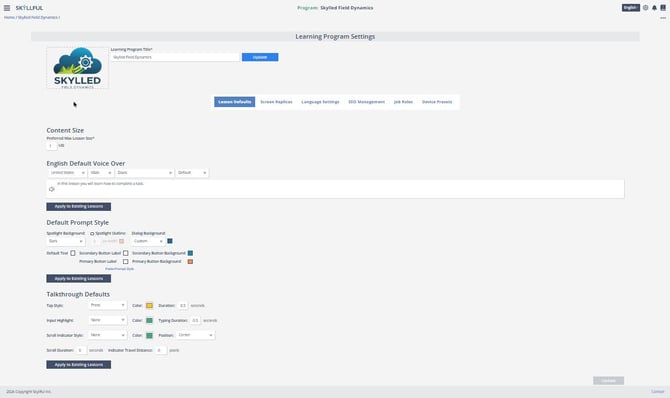
The Lesson Defaults tab: Content Size, Default Voice Over, Default Prompt Style, and Talkthrough Defaults.
Screen Replicas
Setting |
What it controls |
|---|---|
| Custom Fonts | Upload a WOFF (Web Open Font Format) file to use with screenshot Replicas. |
| Replica Capture Settings | Toggle Force data review on all screenshots, Allow users to upload source videos to Video Library, and Upload videos dropped into Replica Video Capture to Server. |
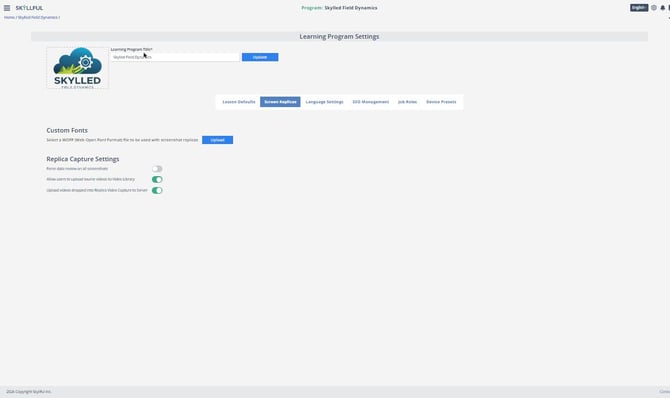
The Screen Replicas tab: Custom Fonts and Replica Capture Settings.
Language Settings
Setting |
What it controls |
|---|---|
| Supported Languages | Enable the languages your program offers: Dutch, French, German, Portuguese, and Spanish. English is always on. |
Note: If the language your team needs is not on the list, it can be requested. Ask your Local Administrator to submit the request to Skyllful, naming the language and the Learning Program that needs it.
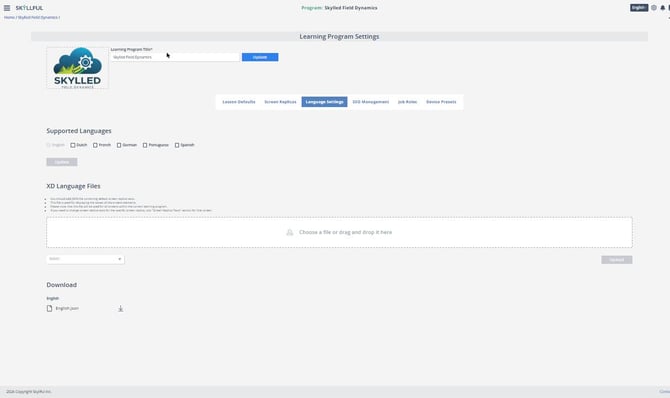
The Language Settings tab: Supported Languages, XD Language Files, and Download.
SSO Management
The SSO Management tab holds Auto-Provisioning Settings, with an Enabled toggle at the top right. When auto-provisioning is on, new users signing in through single sign-on are created automatically using the rules below. Each rule can use claim values from your identity provider, and the + adds claim-based rows.
Setting |
What it controls |
|---|---|
| Default Assigned Manager | The manager assigned to new users, by default or based on claim values. |
| Default Assigned Role | The role applied to new users, by default or based on claim values. |
| Tags to Add to User | Tags applied to new users for organization and reporting. |
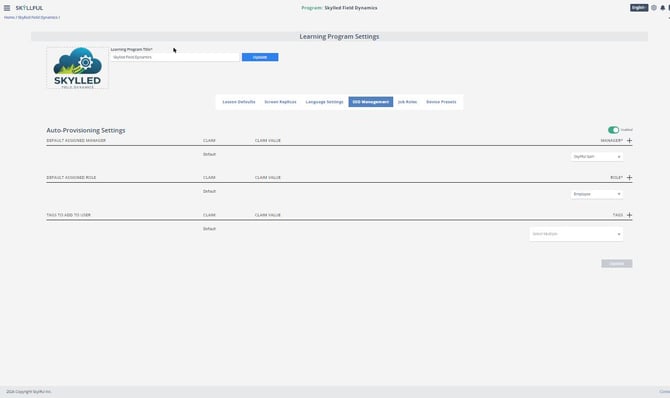
The SSO Management tab: Auto-Provisioning Settings.
Job Roles
The Job Roles tab lists the program's role titles, such as Delivery Driver or Warehouse Associate, with the number of users in each role.
Action |
How |
|---|---|
| Add a role | Click the + above the list and enter the new title. |
| Edit a role | Click the pencil icon on the role's row. |
| Edit several roles | Select the roles (or Select All), then click Edit Selected. |
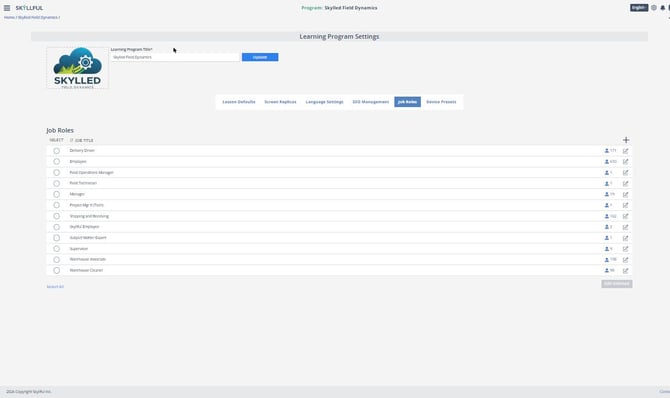
The Job Roles tab: role titles, user counts, and editing controls.
Device Presets
Device presets set the screen sizes you can preview a Lesson at.
Setting |
What it controls |
|---|---|
| Built-in presets | Standard device sizes such as Desktop 1080p, Desktop 1440p, Desktop 720p, Google Pixel 8, and iPad Air or Mini, each with a device type, width, and height. |
| Custom presets | Add your own device sizes with the +, or use Import and Export to move presets between programs. |
| Managing the list | Filter presets by name, page through the list, edit a preset with the pencil icon, or select presets and click Archive. |
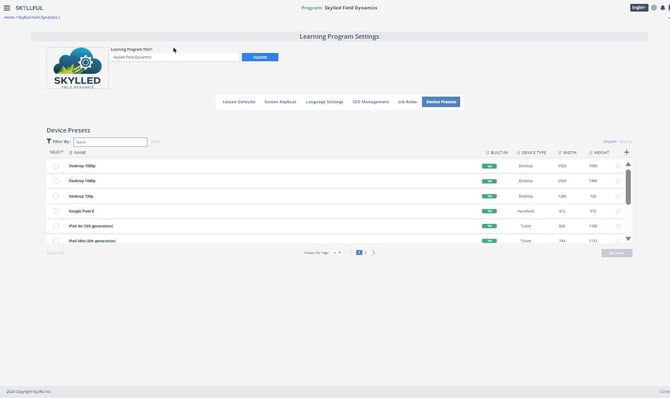
The Device Presets tab: built-in and custom device sizes.
FAQ
How many tabs does Learning Program Settings have? Six: Lesson Defaults, Screen Replicas, Language Settings, SSO Management, Job Roles, and Device Presets.
Where do I rename a Learning Program? In the Settings header. Edit the Learning Program Title and click Update.
Can I create user accounts automatically? Yes. On the SSO Management tab, turn on Auto-Provisioning and set the default manager, role, and tag rules.
Do changed defaults affect Lessons I already built? Only if you choose to. Each Lesson Defaults section has an Apply to Existing Lessons button; otherwise new defaults apply to new Lessons.
Why are some controls greyed out for me? Changing Learning Program Settings requires administrator permission. Contact your Skyllful administrator if you need access.
Skyllful Knowledge Base | Administrators