
How do you create a new Learning Program?
Step |
Action |
|---|---|
| 1 | Open Studio. The home screen appears. |
| 2 | In the Learning Programs panel on the right, click the + in the panel header. A blank Learning Program Overview screen opens. |
| 3 | Enter a descriptive Learning Program Title. The title is the only required field. |
| 4 | Click Choose or upload image to add a thumbnail. The image picker opens. Upload an image, or search the image library, click the image you want, and click Select. Images can be up to 5 MB. |
| 5 | Click Create. A Program Created message confirms, and your new program opens on its Learning Program Overview screen, ready for courses, modules, and lessons. |
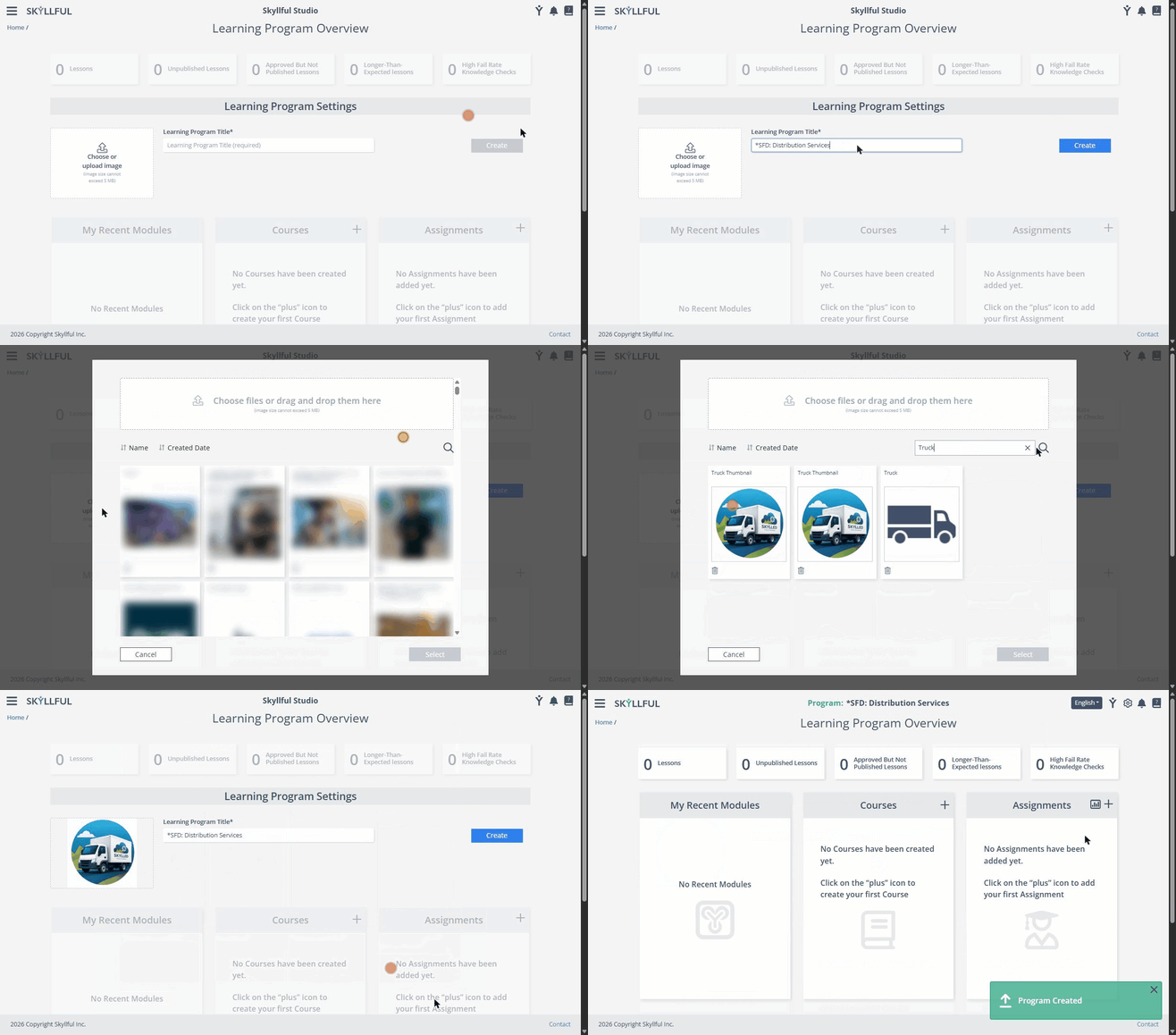
Creating a Learning Program: name it, choose a thumbnail, and click Create.
Tip: A thumbnail makes the program easy to spot in the Learning Programs panel. You can add or change it later from the program's Learning Program Settings screen.
FAQ
Is the thumbnail required? No. Only the title is required. You can create the program with a title alone and add the thumbnail later.
Can I add a description to a Learning Program? No. A Learning Program has a title and a thumbnail image only, so choose a title that makes the program's purpose clear to you and your colleagues.
Why is the + greyed out for me? Creating a Learning Program requires administrator permission. If the + in the Learning Programs panel is greyed out, contact your Skyllful administrator.
What happens after I create the program? The new program's Learning Program Overview screen opens, and you can begin adding courses, modules, and lessons and configuring its settings.
Skyllful Knowledge Base | Administrators