
How do you open a Learning Program?
Both paths below end in the same place, the Learning Program Overview screen. The Learning Programs panel is the faster of the two.
Option A: the Learning Programs panel
Step |
Action |
|---|---|
| 1 | Open Studio. The home screen appears. |
| 2 | In the Learning Programs panel on the right, click the program name. The Learning Program Overview screen opens. |
Option B: the main menu
Use this path when you are already working somewhere else in Studio and want to reach a program without going back to the home screen.
Step |
Action |
|---|---|
| 1 | Click the menu icon in the top-left corner. The menu panel opens, showing Home and a Programs: list. |
| 2 | Click the program name. It expands to show the three Skyllful components: Studio, IQ, and Simulator. |
| 3 | Click Studio. It expands to show the Studio destinations for that program. |
| 4 | Click Learning Program Overview. The Learning Program Overview screen opens. |
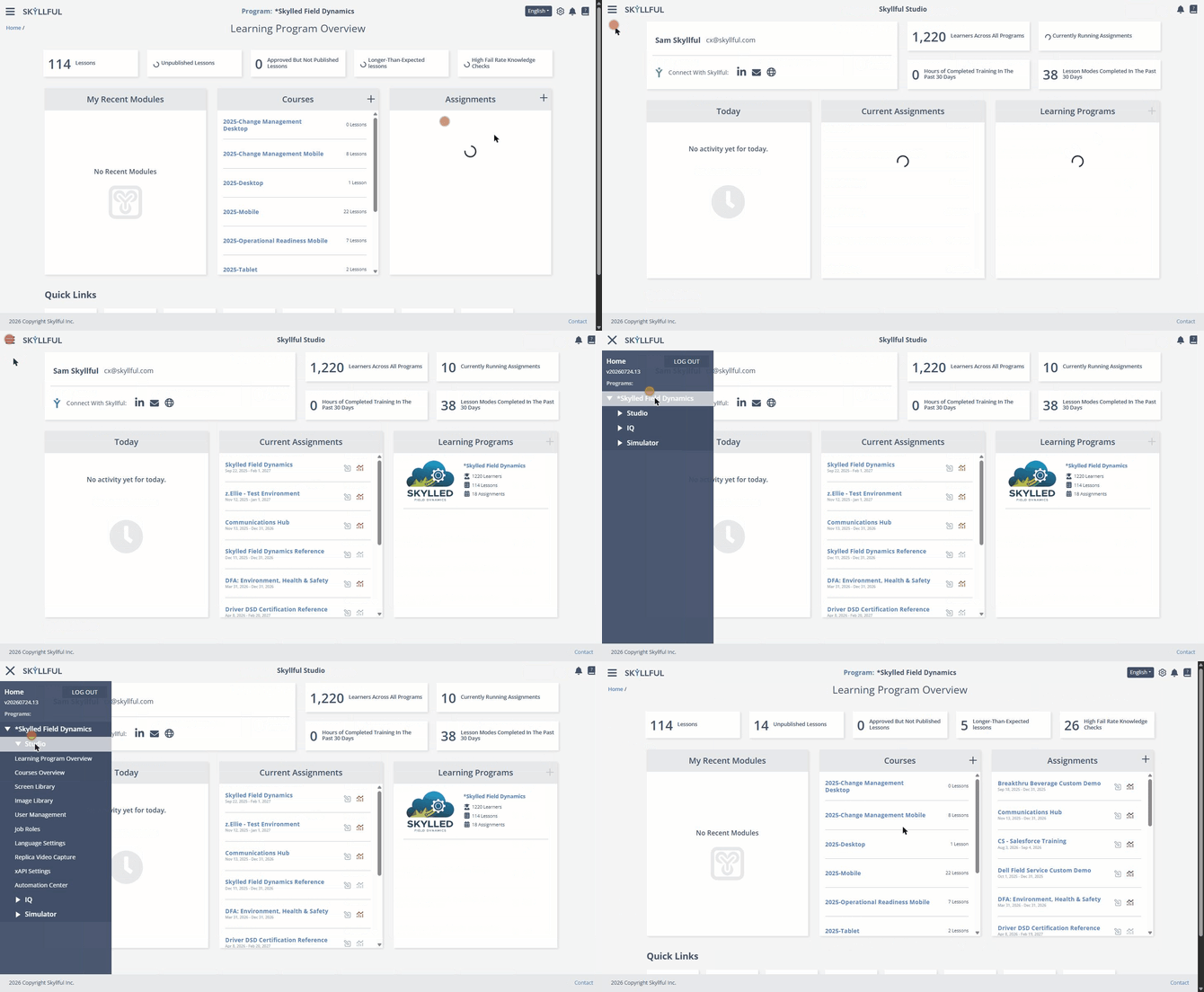
Both paths to a Learning Program: the Learning Programs panel, then the main menu.
Tip: To return to the home screen from an open program, click Home in the breadcrumb at the top left.
FAQ
Where is the Learning Programs panel? On the right side of the Studio home screen. At a standard window width it is visible without scrolling.
Which path should I use? Option A is one click and is the better choice from the home screen. Option B is worth the extra clicks when you are already deep in Studio, because the menu is available from anywhere.
Can I jump straight to other areas of a program from the menu? Yes. The Studio branch also lists Courses Overview, Screen Library, Image Library, User Management, Job Roles, Language Settings, Replica Video Capture, xAPI Settings, and Automation Center.
Skyllful Knowledge Base | Administrators, Content Developers